

Keeping internet alive off-grid is easier than it looks: see how long each battery size runs the Starlink Mini, which port feeds it best and how one solar panel refills it daily.
Why Almost Any Power Station Can Run a Starlink Mini
Yes — the Starlink Mini is one of the easiest meaningful loads a power station can carry. It draws 20–40W continuously, which is less than a gaming laptop under load, and it accepts power three ways: a plain AC outlet, a 12–48V DC input, or a USB-C port that delivers the full 100W profile. There is no compressor surge, no heating element, no startup spike that a small inverter cannot handle. Almost every power station on the market runs one.
The question worth answering precisely is not whether a station can run the dish but for how long, and whether solar can extend that indefinitely. Both come down to one number: the Mini costs roughly 0.4–0.8kWh per day, depending on how much of that day it spends actively passing traffic versus idling.

How much power does a Starlink Mini use?
Starlink publishes average figures for the whole kit — dish, router and power supply together:
Two details sit behind those averages:
All of this traces back to Starlink's own support article, which states the same three numbers: 20–40W average with a 15W idle, USB power at 100W PD (20V/5A), and a 12–48V DC input at 60W alongside the 115V AC adapter in the box. The same page names the official USB-C to Barrel Jack cable sold in the Starlink Shop — the accessory that makes route three below possible — and adds one warning travelers should not skip: any battery feeding the dish also has to meet FAA rules for carrying batteries on an aircraft.
For comparison — a figure Starlink states separately and not part of the Mini numbers above — the larger Standard dish (Gen 3 and Gen 4 alike) draws 75–100W and costs 1.8–2.4kWh per day, roughly triple the Mini. That gap is why the Mini is the model that travels with a battery.
- The spread is about usage, not hardware. A dish streaming video for a household sits near the 40W ceiling; one that only carries email and maps sips closer to 20W. Planning at 30W average is a fair middle.
- Cold weather raises the figure. Snow melt raises the draw during winter precipitation, so a Mini kept outside through a storm costs meaningfully more than the table above. Budget winter days well above 40W rather than hoping the average holds.
| Figure | Value |
|---|---|
| Active draw | 20–40W |
| Idle / standby | ~15W |
| Input voltage window | 12–48V DC, 60W maximum |
| 24-hour total | 0.4–0.8kWh |
Three ways to power a Starlink Mini
1. The AC adapter (what ships in the box). Plug the dish's power brick into any working AC outlet, including a power station's inverter. This is the simplest path and it always works, but it double-converts the energy — battery DC becomes AC, then the brick turns it back into DC — losing a few percent at each stage, and the brick itself runs inefficiently at such a light load.
2. The DC input (12–48V, up to 60W). The Mini takes stable DC directly through its barrel input, and a 15m DC power cable is available for the job. A 12V car socket, a battery's 12V tap or a power station's DC outputs all qualify — at 12V, 5A covers the dish's worst case. DC skips the inverter conversion entirely and is the most efficient route from a battery. Check the supply holds voltage under load: an unregulated feed that sags below 12V can trigger reboots, and permanent installs should run the dish on its own fused branch.
3. USB-C PD (100W, and the number has to be real). With an aftermarket USB-C-to-barrel cable, a USB-C port that negotiates the full 100W profile — 20V at 5A — powers the dish with a single cable. The catch is that "100W" on a label is not a guarantee: many multi-port supplies only deliver 100W on one port while the others are idle, and 65W-class PD will not start the dish at all. Phone chargers, laptop bricks shared with other devices and older PD implementations all fail this test in practice.
For a power station, the practical ranking is DC first, AC second, USB-C third — though all three work on every Sorein unit, because each one pairs its USB-C port with a 12V socket and a true AC inverter.
How long does a power station run a Starlink Mini?
Runtime is usable capacity divided by the dish's draw. Using 85% of rated capacity — the planning figure throughout this site — and a 25–40W planning range (the official 20W floor sits below the draw most connections actually hold):
The pattern is simple: every additional kilowatt-hour buys roughly a day of Mini-only runtime at a realistic 25–35W average.
The same math reads differently once the dish stops running alone. A phone, a laptop and a camera-battery charger add 0.2–0.4kWh to the day; a car fridge adds nearly a full battery's worth on a 481Wh unit. If the Mini is one load among several, size from the total — the power station calculator takes the whole list rather than one appliance.

Tool
Portable power station size calculatorOpenAgainst third-party options in the same class, the arithmetic is identical — the load is trivial, so capacity decides everything:
1kWh-class stations from other makers (specifications checked on each maker's own store on November 24, 2026)
The figures use the same 85% usable-capacity share as the Sorein table above, applied to the battery sizes each maker publishes.
| Station | Battery | Runtime at 25–40W |
|---|---|---|
| Jackery Explorer 1000 v2 | 1,070Wh | 23–36h |
| Anker SOLIX C1000 Gen 2 | 1,024Wh | 22–35h |
| BLUETTI Elite 100 V2 | 1,024Wh | 22–35h |
What Size Power Station Fits a Starlink Mini Trip?
A weekend away: P600 (481Wh). One evening of streaming, a night of idle and a morning of maps fits inside the P600's 409Wh usable, with the 100W USB-C port free for the laptop. Recharge from the car socket or one SP220 panel and the weekend never touches zero.
A week of working outdoors: P1200 (1,152Wh). This is the balance point between the weight you carry and the hours you get. The dish runs 25–39 hours alone — a full day of active use plus the overnight idle, with margin for a laptop and phone — and one SP450 panel refills it from empty in roughly a day of usable sun. If the internet connection is the reason you are out there, this is the unit that keeps it from being the thing that ends the trip.
Full-time off-grid or basecamp duty: P2400 or G2400. Two days of dish time per charge, plus enough headroom that the Mini's snow-melt winters and shared loads stop mattering. The G2400's 2,040Wh usable and modular battery mean one SP220 panel tops the dish's daily cost back up every clear morning and the system runs indefinitely.
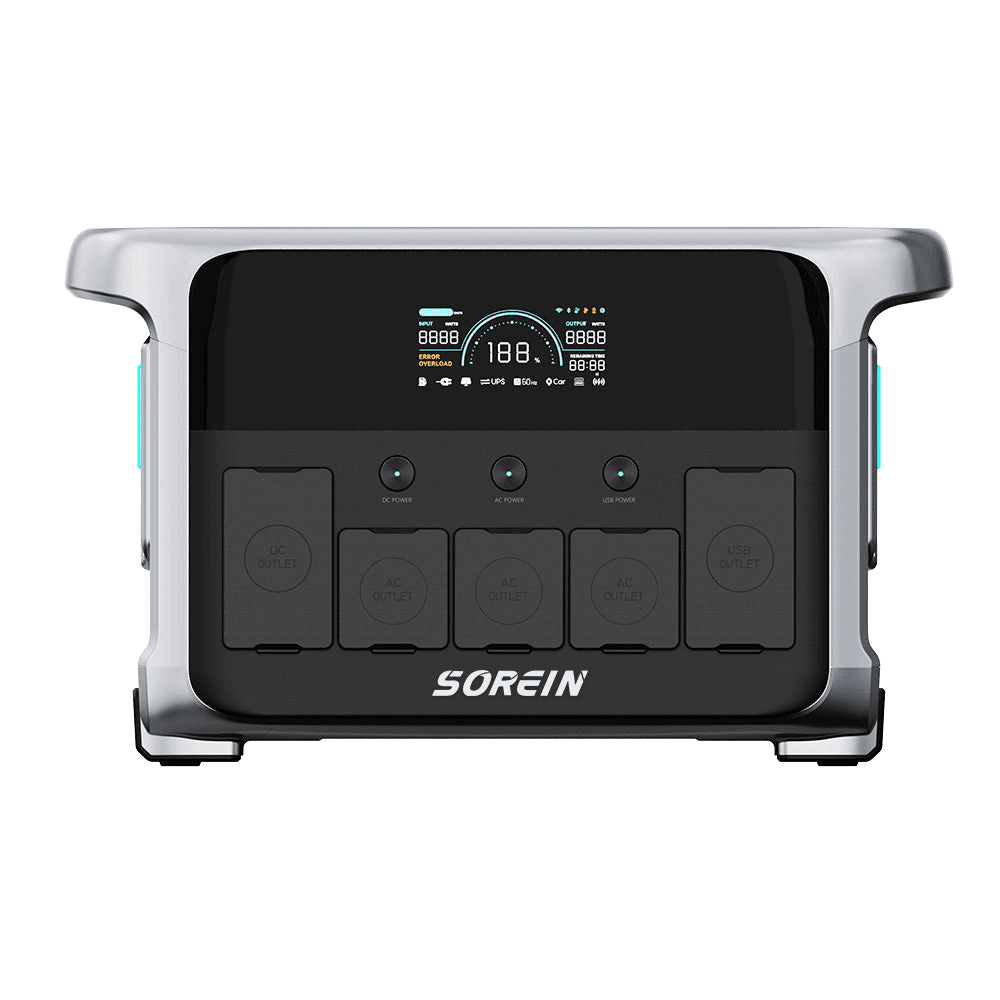
P Series
P1200- 2,000W peak · 3 AC outlets
- 100W USB-C fast charging
Power Station vs a Dish-Mounted Battery Pack
Search for a Starlink Mini battery and the first page of results is dominated by one product type: a 99Wh pack that clamps onto the back of the dish and powers it directly. It is a tidy idea — no separate box, no cable run — and it works, for roughly two to four hours before the dish goes dark and the pack itself needs a recharge.
A power station trades some carried weight for a different equation. The 481Wh P600 holds the dish for 10–16 hours and still has ports left for the laptop, the camera batteries and the camp lights; step up to the P1200 and those few hours become a day and a half, with a wall socket's worth of output in reserve. The clip-on pack's genuine advantage is carry-on weight, not runtime — and once the dish is covered, everything else in camp still needs a source.
So the honest split reads like this: a day hike with one device and no other loads justifies the pack. Any trip with a second device, an overnight or a cloudy morning needs a station, and the pack becomes a spare instead of the plan. For the full watt-hour breakdown of a Starlink-connected workday, the RV remote-work power setup walks that math load by load; the camping power guide covers the rest of the kit a station usually ends up feeding.
Can a Starlink Mini run directly off a solar panel?
Technically the voltages line up, and it is a tempting idea: a 220W panel's 18V operating point sits comfortably inside the dish's 12–48V window. In practice a bare panel is the wrong feed, for one reason — voltage is not stable.
A panel's output voltage swings with cloud cover, sun angle and cell temperature. The dish expects a steady supply inside its window, so a passing cloud drops the panel's voltage below the floor and the Mini reboots; the sun comes back and it reconnects. Off-grid users who have tried the direct connection land on the same description: solar internet that only exists when the sky cooperates. The dish's boot sequence also takes minutes, which makes every brownout expensive.
There is exactly one reliable exception: panels with a built-in regulator that exposes a proper USB-C PD output at 100W. Those hold the voltage steady regardless of what the cells are doing, and they work — but they are specialty products, and 60W is the practical minimum for the dish to start.
The architecture that actually works off-grid puts a battery in the middle:
Panel → power station → Starlink Mini.
The panel feeds the station's MPPT controller, which handles the voltage swing; the battery buffers the clouds; the dish draws from a steady 12V socket or USB-C port. Daytime sun tops the battery up, the dish runs through the night and bad weather on the stored energy. Every folding panel sold for camping is designed to be used exactly this way.
How Much Solar Panel Does an Always-On Starlink Mini Need?
The dish costs 0.4–0.8kWh per day. Panels are bought by what they deliver, not what their label says — an SP220 produces 165–190W in clear midday sun and 65–110W under thin clouds, so a clear day puts roughly 1.0–1.3kWh into a station and a grey day a fraction of that.
The consequences for a Mini-based setup:

Both electrical directions also check out on paper: the SP200/SP220's 18V operating point and the SP400/SP450's 36V sit inside the Mini's 12–48V input window even at cold-temperature open-circuit voltage — but as above, that compatibility belongs to the station's solar input, not the dish's.
- One 220W panel covers the dish with room to spare on any clear day — the surplus handles phone and laptop charging.
- A 400W-class panel (SP400/SP450) covers the dish plus a real workload, and refills a P1200 from empty in roughly a day of usable sun.
- The battery is the cloudy-day insurance. Because the panel's output is unreliable but the dish's demand is constant, the station in the middle should hold at least a full day of Mini runtime — which is exactly what the P1200's 25–39 hours provides.
The Complete Off-Grid Setup: Panel, Station and Starlink Mini
A Starlink Mini and a power station are a natural pair: the dish is a 25–40W load that any station can carry, the station turns an unpredictable panel into a dependable 12V or USB-C source, and the only real decision is how many watt-hours of autonomy the trip needs. Half a kilowatt-hour is an evening; one is a day; two and up make the internet a permanent fixture at camp, recharged each morning by a single folding panel.
Questions
Portable power station for Starlink Mini FAQ
Can a portable power station run a Starlink Mini?
Yes. The Mini draws 20–40W continuously — less than a laptop under load — so any power station with a working AC outlet, a 12V socket or a full-rate USB-C PD port can run it. No large inverter or surge headroom is needed.
How long will a 500Wh power station run a Starlink Mini?
A 481Wh unit with 85% usable capacity runs the Mini for roughly 10–16 hours depending on whether it sits near the 25W planning floor or the 40W active ceiling. That covers an evening and a morning, not a full 24 hours at active use.
Can I power a Starlink Mini with USB-C?
Yes, but only from a port that negotiates the full 100W profile — 20V at 5A. A label that says 100W is not enough on its own: multi-port chargers often cap a single port below 100W when other ports are in use, and 65W PD supplies will not start the dish.
Can a Starlink Mini run directly from a solar panel?
Not reliably. A bare panel's voltage swings with clouds and sun angle, and the Mini expects a steady 12–48V DC feed — a passing cloud drops the voltage below the dish's floor and it reboots. Route the panel through a power station or a regulated panel with a built-in PD output instead.
Does the Starlink Mini draw less power than the standard dish?
Yes, roughly a third. The Mini averages 20–40W against 75–100W for a Standard dish, which is 0.4–0.8kWh per day against 1.8–2.4kWh. For battery-powered use the Mini is the model to travel with.
What size power station do I need to run a Starlink Mini for a day?
A Mini-only day costs roughly 0.4–0.8kWh, so a 1,000Wh-class station covers a full 24 hours at a realistic draw, with room for phone and laptop charging on top; at the 40W ceiling the margin shrinks to nothing. A 500Wh unit covers a long afternoon and an overnight; a 2kWh unit covers two to three days without recharging.
Is it better to run a Starlink Mini on AC or DC?
DC where possible. On AC the power passes through the inverter and then back through the dish's power brick, losing a few percent at each stage. The Mini accepts 12–48V DC directly through its DC input or 100W USB-C, which skips one or both conversions.
How much solar panel do I need to keep a Starlink Mini running off-grid?
The dish needs 0.4–0.8kWh per day and a 220W folding panel delivers roughly 1.0–1.3kWh on a clear day, so one panel covers the dish with room for device charging. Cloudy days cut that to a fraction, which is why the battery in the middle is sized for at least a day of buffer.